Florida State Report (FL)
Many states require an annual report or survey submission; this report will provide the most-frequently-requested data elements to fulfill those requirements.
For set up and configuration, please see the Regulatory Reports set up help file.
Regulatory Report Configuration
- This state report requires the following Code Tables to be configured:
- State Race Code
- State Ethnic Code
- Payment Source
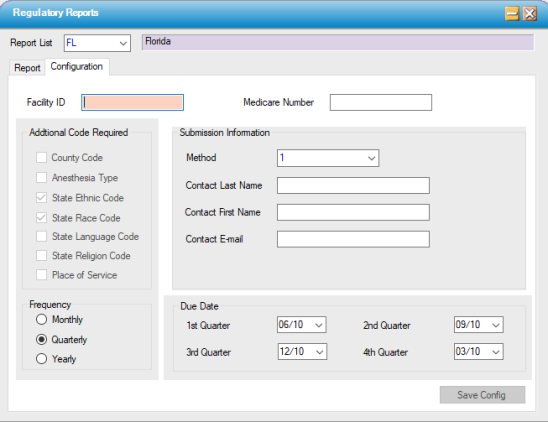
- Facility ID is assigned by the State reporting entity.
- Medicare number should *exclude* letters; add zeroes (000) to the beginning of the number to reach the required 7 digits.
Generate Validation Report and Data Output
1. Access Regulatory Reports on the menu and select the report from the drop down list.
2. Run the Data Verification and correct any issues and re-run the report until there are no issues remaining on the report.
3. On the report tab, select the Submission type. The state of FL requires an indicator of either I for initial or R for replacement file. This needs to be selected prior to generating the file.
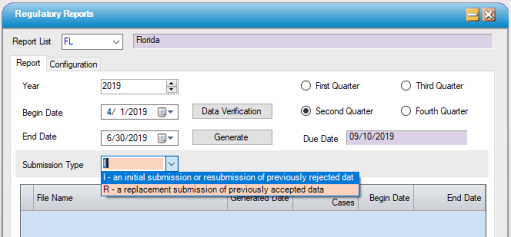
3. Generate Report and save to a local or network folder.
Note: It is very important that a Revenue Code be linked to each CPT code in Administration > CPT Code because these are used for patients who have Medicare (or any other payer that prints on a CMS form) to determine where to allocate the charges.
Send Files
Use the following link to send files to the state of Florida. https://ahcaxnet.fdhc.state.fl.us/patientdata
Sample Output
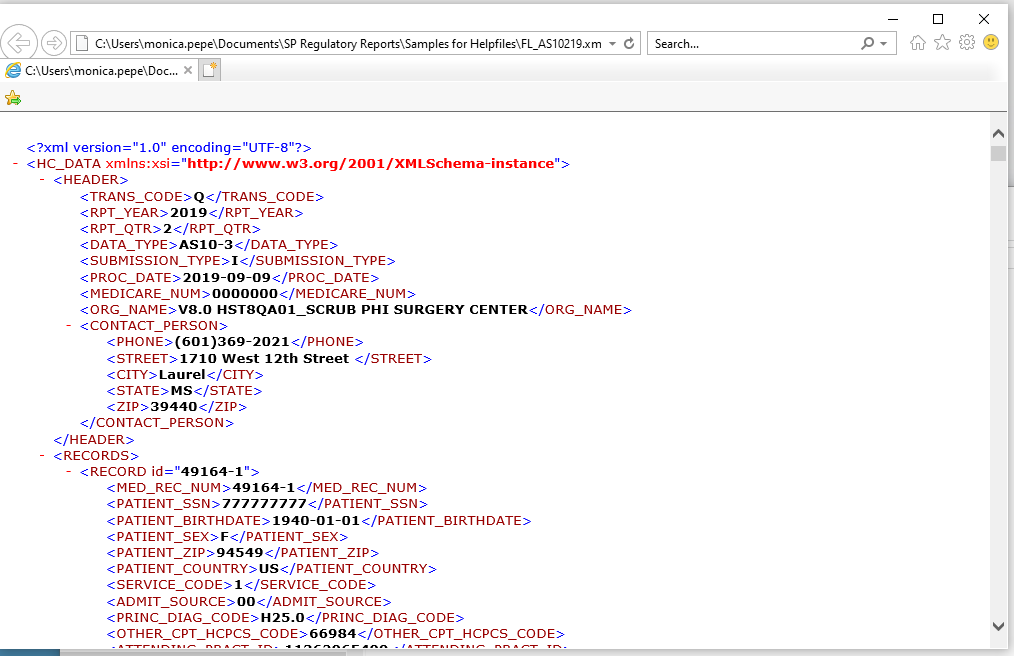
Format: XML