Getting Started
HST Practice Management has standard navigation and functionality used through out the application. Review the information found below to familiarize oneself with the application.
Click the links below to learn more (they will open in a different page):
- Logging In/Logging Out
- Screen Formats
- Navigation Icons
- Action Icons
- Create, Retrieve, Update, Delete Records
- Date Field Functionality
- Look Up
- Patient Look Up
- Error Ball

- Open Recent Records
- Patient Information Flow
- HIPAA Audit Log
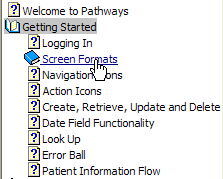
These topics are also available via the Table of Contents viewable in the left pane of this browser window.
Click the "books" to open and close them. For example, below the "Getting Started" is open, while "Screen Formats" is closed.