Patient Demographics
Case > Registration > Patient Demographics
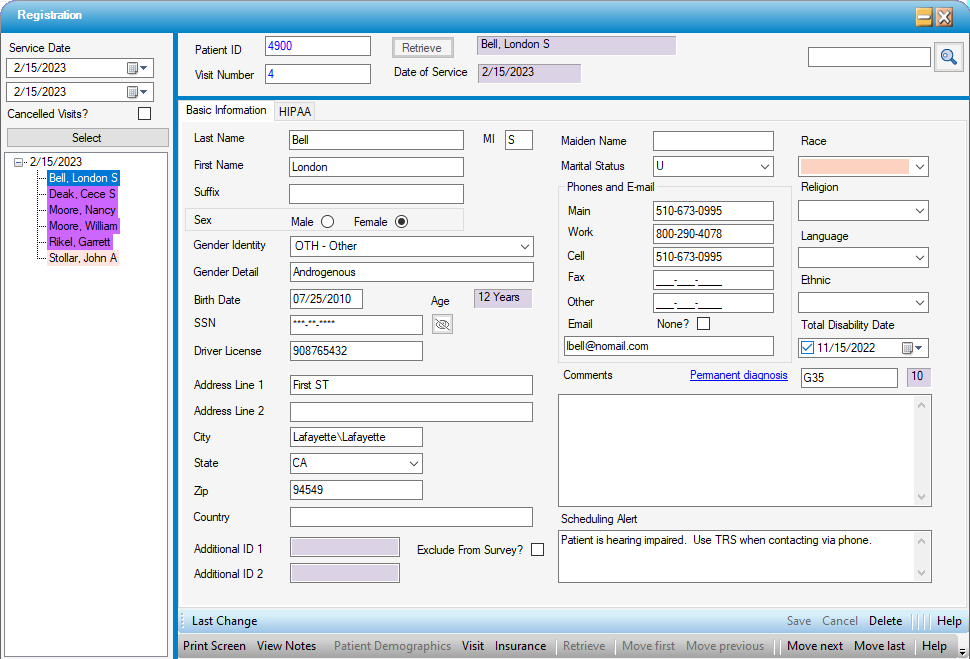
Patient Demographics: Basic Information Tab
The Basic Information tab on the Patient Demographic form is where any demographic information that was not entered in the appointment will be completed.
-
Last Name, Middle Initial, and First Name will populate from the Appointment but can be edited here.
-
Suffix is a free text field for entering information such as Junior or Senior, or a title such as MD.
NOTE: Suffix does not show up on the Appointment Sheet nor Scheduling reports, so many centers elect to enter Jr or Sr following the last name.
-
Sex indicates the patient's physiology. For claims to be paid, they must reflect what the insurance has on file, so unless a patient has had their sex legally changed, this field should reflect the sex consistent with their birth.
-
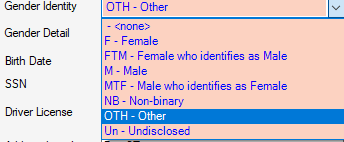
Gender Identity indicates how the patient identifies. The drop-down consists of seven standard identities, the sixth being "Other".
-
When Other is selected, the Gender Detail box is open to edit to indicate how the patient chooses to identify.

-
Birth Date will populate with what was entered in the Appointment but can be edited here.
-
SSN will default to standard nnn-nn-nnnn format, so users need only enter the numbers. As soon as a user tabs out of this field, the social security number will be masked. To view the social security number, select the
 icon.
icon. -
Driver License is an optional free text field.
-
Address Line 1 is a required field for transmission of clean claims.
-
Address Line 2 is optional.
-
If Zip Code is included in the Zip Code Code Table, users can tab down to enter the Zip, and the City and State will populate from the Code Table.
-
Country is a free text field that should only be used if it is required as part of the mailing address. It has been reported that this field can cause claims to reject with some clearinghouses, so the recommendation is to only use it if/when necessary.
-
Additional ID 1 is often used for account numbers from a previous database for centers that have transferred data from another system. This provides a cross reference to any accounts remaining in the legacy database. This field also prints to the SC1014 - Appointment Schedule - Additional ID 1 scheduling report for ease of pulling old charts or reviewing legacy accounts for outstanding balances.
-
Additional ID 2 is also a free text field available for medical record numbers, legacy account numbers, etc. This field does not map to any reports.
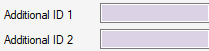
NOTE: The Additional 1 and Additional 2 ID fields are also utilized in some interfaces with other products and services. If they are lavender locked and not enabled for edit, this is why.
-
Exclude From Survey? can be checked for patients that do not want to be included in patient satisfaction surveys or patients with repeat visits (such as pain management) who do not need to receive a survey for every visit.
-
Maiden Name is a free text field. Maiden Name is a search filter in some forms, such as the Patient Account, so best practice is to enter this information if available (especially if the patient was previously treated under that name).
-
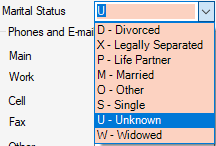
Marital Status is a seeded drop-down with standard selections.
-
Phones and E-mail
-
Main, Work, and Cell phone numbers will populate from the Appointment if entered there, but can be entered or edited here.
-
Additional fields are available for Fax and Other, if the patient elects to provide an additional phone number.
-
Email is a free text field for entry of the patient's email addresses.
-
Select the checkbox labeled None? if the patient chooses not to provide an email address. It is not uncommon for the patient to be asked for their email address multiple times if one has not been entered. Selecting None? will disable the email field and inform staff that the patient either does not have an email address or has chosen not to provide one.
-
-
Race, Religion, Language, and Ethnic drop-downs seen on the Patient Demographics form are for internal reporting purposes only. State Reporting data is entered on the Regulatory Reports tab in Registration > Visit.
-
Total Disability Date is an optional date field for reporting the date a patient was classified as disabled.
-
Permanent Diagnosis is an ICD field in which a diagnosis code can be entered, or the Permanent Diagnosis hyperlink can be utilized to search by description.
-
Comments is a free text field that can be utilized at the user's discretion. This field does not map to any reports.
-
Scheduling Alerts entered on this tab will generate a hyperlink on the current appointment that can be selected to view the alert and will also appear as a pop-up alert if patient is scheduled in the future.
NOTE: The highlighting in the tree view will remain a light salmon color until all required information on the Basic Information tab has been completed.
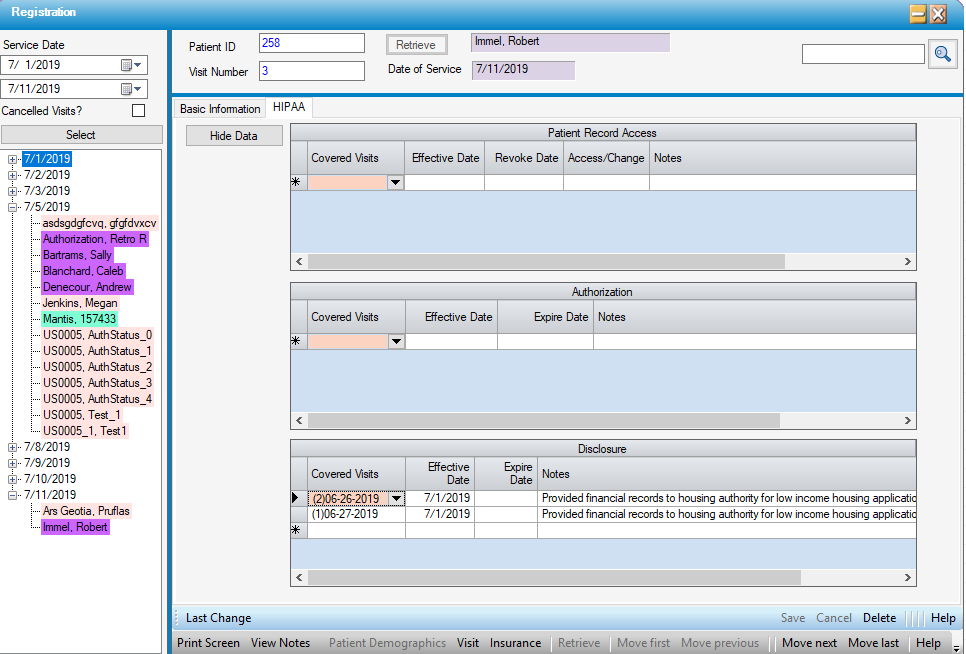
HIPAA tab
This tab can be utilized to document requests for and release of patient records.
Clicking the  button displays the records for viewing or data entry. Any entries / changes must be
  Saved before the
  button is enabled.