User Types
There are 4 type of users in HST Practice Management:
- Corporate Administrator
- Center Administrator
- Super User
- Regular User
Corporate Administrator
The Corporate Administrator is presumed to be a user who handles high-level configuration rather than center-specific functions. This User Type may be responsible for creating other Corporate Administrators or Center Administrators.
Corporate Administrators by default have rights to do the following:
- Create User Roles
- Create Center Administrators
- Assign Corporate Administrator rights
- Reset a User’s password within the application (if on SQL authentication)
- Access the Enterprise Configuration
A user with Corporate Administrator rights can also have Individual Permissions assigned outside of the default permissions.
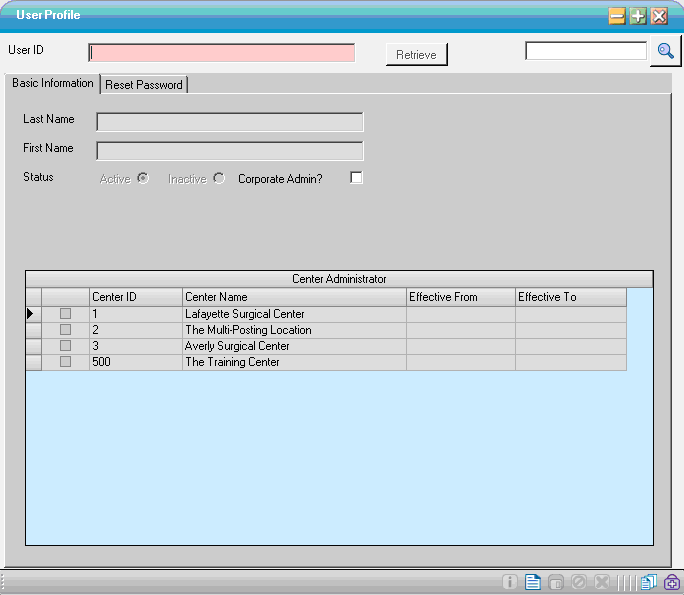
A user with only Corporate Administrator rights will see this screen:
Center Administrator
A user assigned as a Center Administrator has rights to do the following for the center where they are an administrator:
- Create and assign User Roles
- Create users
- Assign Individual Permissions
- Reset passwords
- Perform general maintenance of User Profiles
- Assign another user Center Administrator privileges
A user with Center Administrator rights can also have Individual Permissions assigned outside of the default permissions.
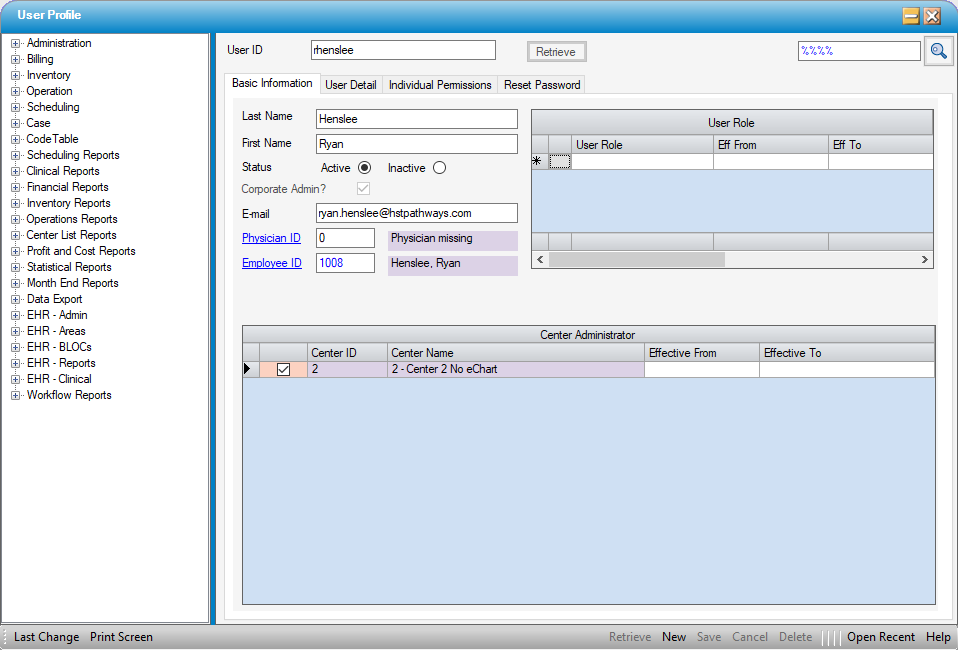
A Center Administrator will see this screen:
Super User
A Super User is an account that is defined to have both Corporate Administrator and Center Administrator rights.
This gives the Super User full access to User Profiles, and from there they will see all the Centers on that database and be able to create and maintain all aspects of the User Profile form.
Regular User
Users with normal rights to application functions assigned by a user with Center Administrators privileges.
A regular user will not be able to access User Permissions menu items.