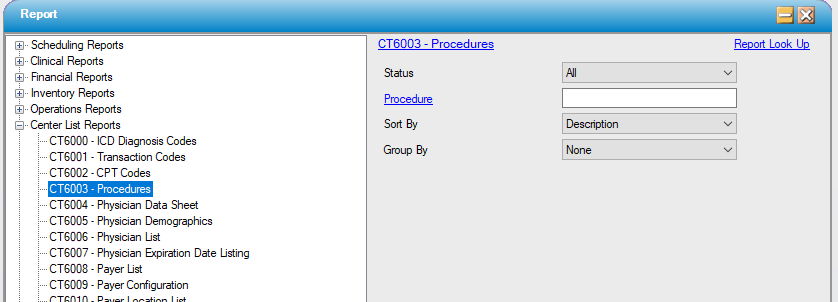
CT6003 – Procedures
Function:
Track all Procedure codes entered into HST Practice Management. Pulls data from the Administration menu, from Procedures and Procedure Configuration.
Related information includes description, primary CPT code, duration, setup time, turnaround time, laser, status and scheduling function.
Usage:
Filter by status or selected Procedure code(s).
Sort the results by the Procedure name or description.
Group by procedure Specialty if desired.
Hints and Tips:
INCLUDES all codes unless otherwise specified.
Specify a status of Active to only see data for active codes.
Notable Fields:
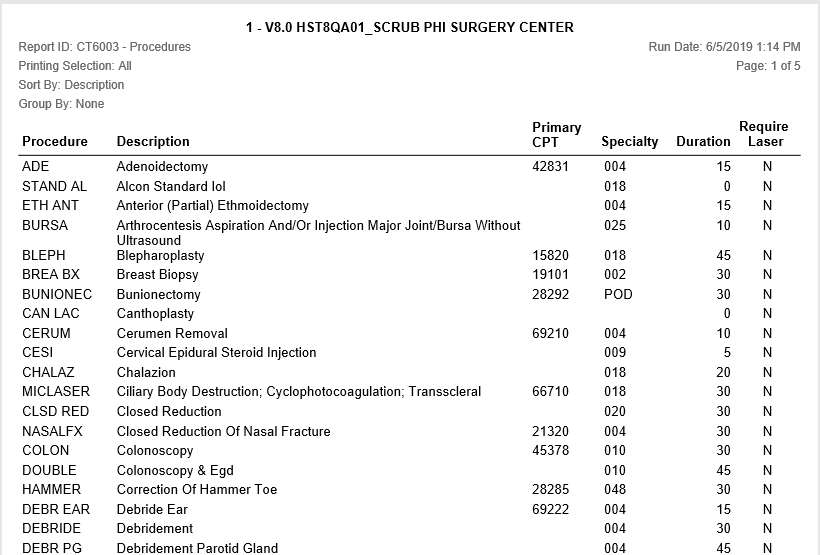
Primary CPT: Displays the CPT Code associated with the procedure and designated as Primary in Procedure Configuration.
Duration: Displays the duration, in minutes, associated with the procedure in Procedure Configuration.
Require Laser: Displays a “Y” if the “Require Laser?” check box in Procedure Configuration is checked; otherwise displays “N”
Sample Report:
For details on available output types, please see the Reports Overview help page.
Report Filter: