SC1011 - Center Surgery Schedule (Portrait)
Function:
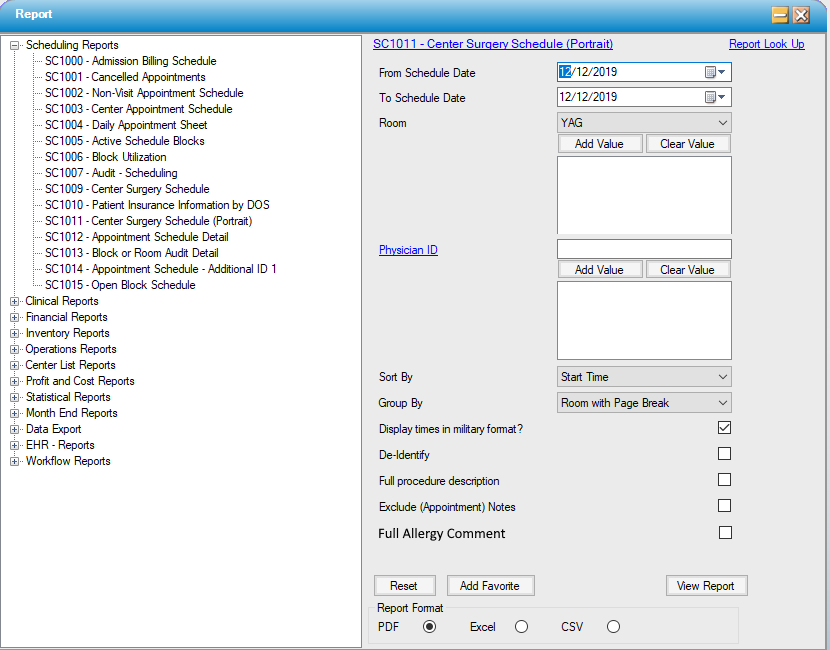
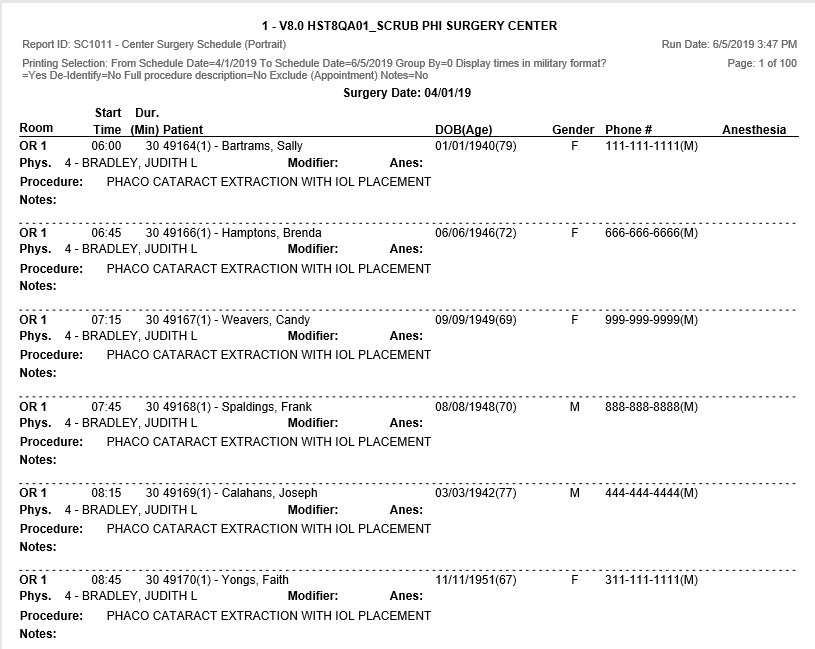
Intended as a truncated schedule for ease of printing. Tracks visit Appointments within the specified schedule date range. Visit appointments are associated with appointment types defined in Appointment Type Configuration to require a patient visit (appointment type SRGY is the default). Includes Appointment Notes.
Usage:
- Enter the desired scheduled date range; or run by specific Room(s) or Physician ID(s).
- Group by room with no page breaks or by Room with a page break between each room.
- Patient Account Names can be removed by selecting "De-Identify".
Hints and Tips:
- This report will print the procedure description up to 256 characters for each procedure. Use the Appointment Notes for detail, as that will print up to 256 characters.
- If upper and lower case letters are used instead of all-caps, many more characters will print in the same space.
Sample Report:
For details on available output types, please see the Reports Overview help page.
Report Filter: